Boosting Productivity with Claude Code
This post covers a little how to boost your development productivity using Claude Code. It goes from all the basics concerning the use of LLMs for coding and the advancements done in software engineering since this technology first showed up.
Many Software Engineers consider that ChatGPT was an actual divisor in the development history. Prior to the advancements made by the launch of this really powerful tool, the engineering side of computer science was really different, but now, in the Post-GPT Era, we keep seeing engineering walking towards what actually matters: having new ideas, thinking about scalable solutions, boosting productivity and spending less time worrying about small bugs in code.
As someone who has spent enough time blogging about research and deep learning, this is the first post in this blog that aims straight into using Claude Code to boost your productivity as a Software Engineer. We will cover all the basics, coming from the rise of LLMs, AI Agents and their integration into the process of software development.
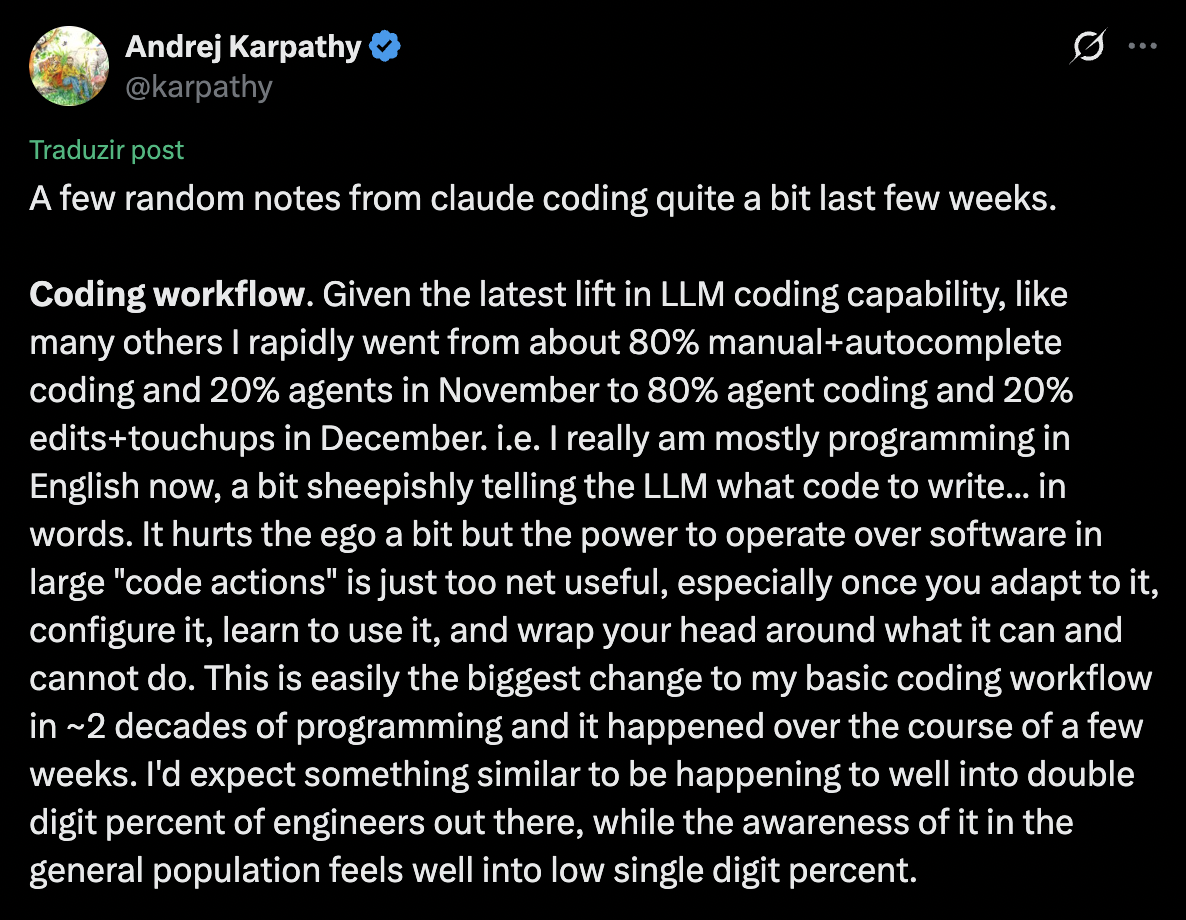 In the words of Karpathy, Software Engineering is changing, we gotta change with it!
LLMs and AI Agents, what are these?
Before we start to explain about Claude and how this can be used to boost your productivity, we need to understand the core basics that address this famous model. First of all, let’s talk about the Large Language Models (LLMs).
LLMs are deep learning models, usually built from Transformers (which we will not cover), and as the name says, they are language models, meaning that this model is based on text-data. The nice thing about LLMs is that text is a kind of non-structured data that is available all over the internet, for free. And the great thing about natural language models is that they do not need labels, the same way as image-models, for most of the tasks they are used. LLMs basically divide into two categories:
Encoder models: started with Bert (Google, 2018), and are based on the Transformer Encoder. The idea is that it learns the language structure in a whole, applying attention, and is used for tasks such as text classification, sentiment analysis and question answering.
Decoder models: got famous with GPT (OpenAI), and are based on the Transformer Decoder. These models are the most famous ones nowadays, since these are the models responsible for generating text. Claude, which we will discuss later in this post, is sitting in this category.
And what about AI Agents? In the current definition, AI Agents stand for systems integrated with AI Tools that are able to perform autonomous tasks. In the coding productivity context this comes with a lot of baggage: reasoning, automatic coding, code review, tasks solvers etc. We live in a world in which most of the technical part can be done automatically with AI Agents.
Including AI Agents in your day-to-day work: RAG
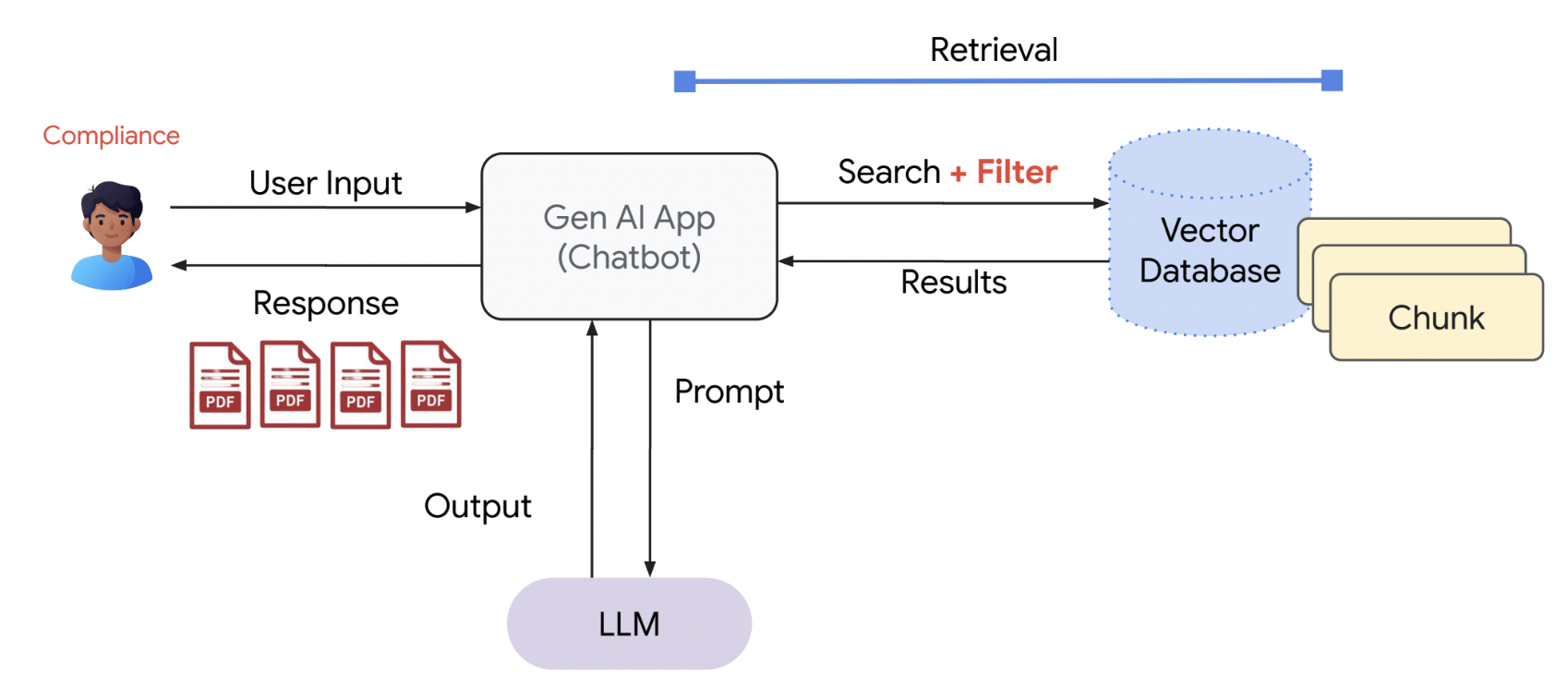 RAG Pipeline
Moving forward, we need to understand how AI Agents are setup into our work model. This has started with Retrieval Augmented Generation (RAG).
We have general context LLMs, trained with the whole web data, and is able to answer a lot of things that are asked. However, many information available is confidencial, mainly when thinking about companies and research. Training a language model that has the capacity of writing high quality text, such as the famous LLMs, and including company data, is really expensive and would take a really big research and engineering team.
Given this context, there may be a way that we can use these general LLMs to access company data, and answer questions based on it. By using RAGs, we can search information in external sources, such as databases, documents, the internet etc., given a user’s prompt. We feed this content we searched plus the prompt to the LLM, and now it is able to generate a contextualized answer to the user. This works by indexing embbedded files by the LLM, and retrieving the information that matches the prompt the most.
To make this more reliable, we can think about refining our prompt, given a better context about what we need, making the model search be more specific to the context we actually want. Modern models, such as Claude, include a built-in Chain of Thought (CoT) prompt system, responsible for the model’s “reasoning” – the capability of the model to “think”. This way, the model refines the prompt by itself, and feeds it into itself to gather more context and give a better answer. However, this does not replace the need of the user giving a great prompt to the model.
How to make RAG extensible: MCPs
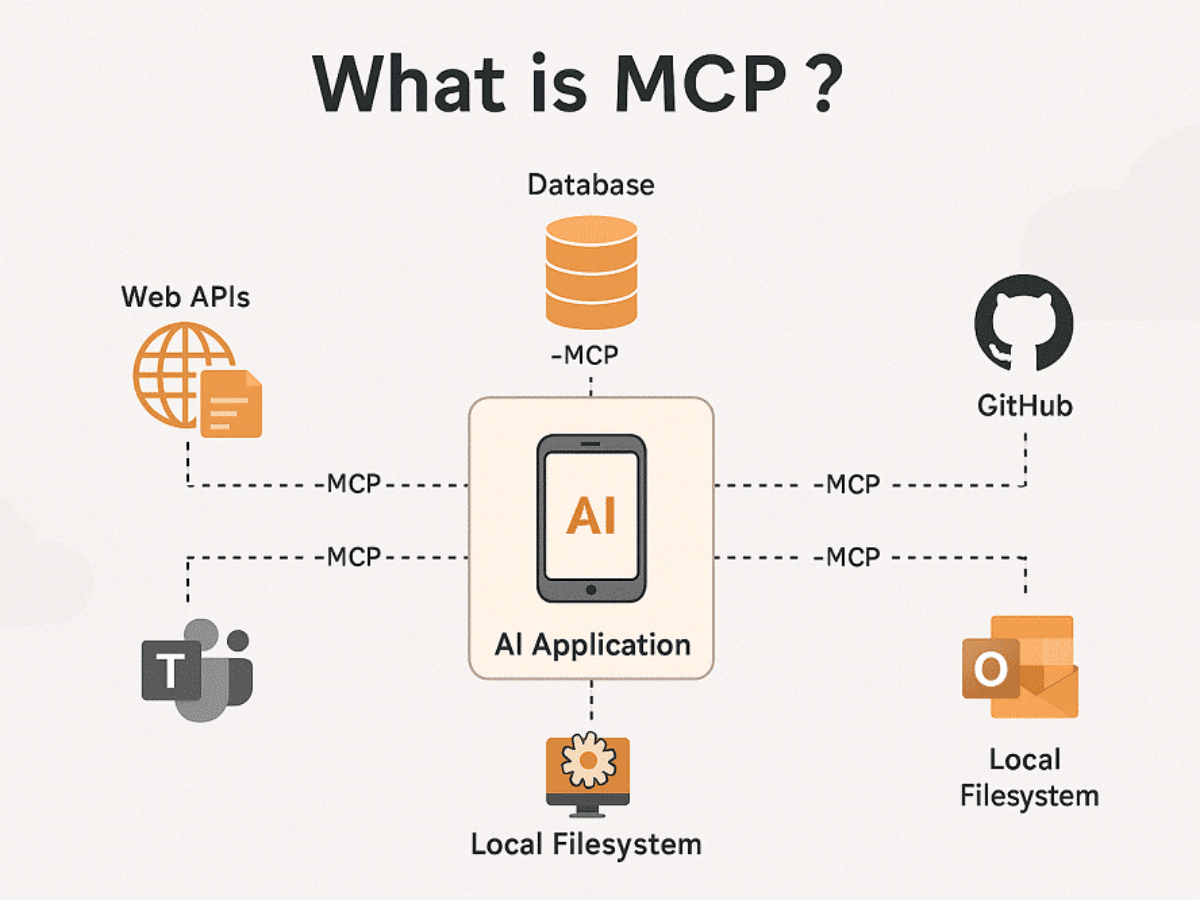 The MCP Architecture
So RAGs pretty much solved a big problem introduced by LLMs and made AI Agents possible, right? However, it also comes with a huge problem. At the same time that it is cheaper than training a language model for each company/research group, every organization needs to build their own RAG systems, which can be pretty challenging. In this context, we introduce the Model Context Protocol (MCP).
The MCPs are network protocols that standardize how AI applications communicate with external sources of information, such as websites and databases. “The MCP provide a standardized connection streamline tool integration”. The MCP architecture follows the pattern:
MCP Host: Where the LLM is contained, it is where the intersection between the user’s prompt and the call to the MCP lie.
MCP Client: This is located inside the MCP host, it represents the layer that processes the LLM requests and translates it to the MCP; it also converts the MCP answer to feed the LLM and generate the response. This part is also responsible for finding and using the available MCPs servers.
MCP Server: It is the service that provides data, context and resources to the LLM coming from external providers. This translates answers coming from these external services, feeding them to the LLMs in formats it can generate an answer from.
Transport Layer: Uses JSON messages to stablish the communication between the MCP client and server.
This provide more scalable integrations than RAG, coming with a padronized communication system and can have an active information retrieval system.
Claude Skills
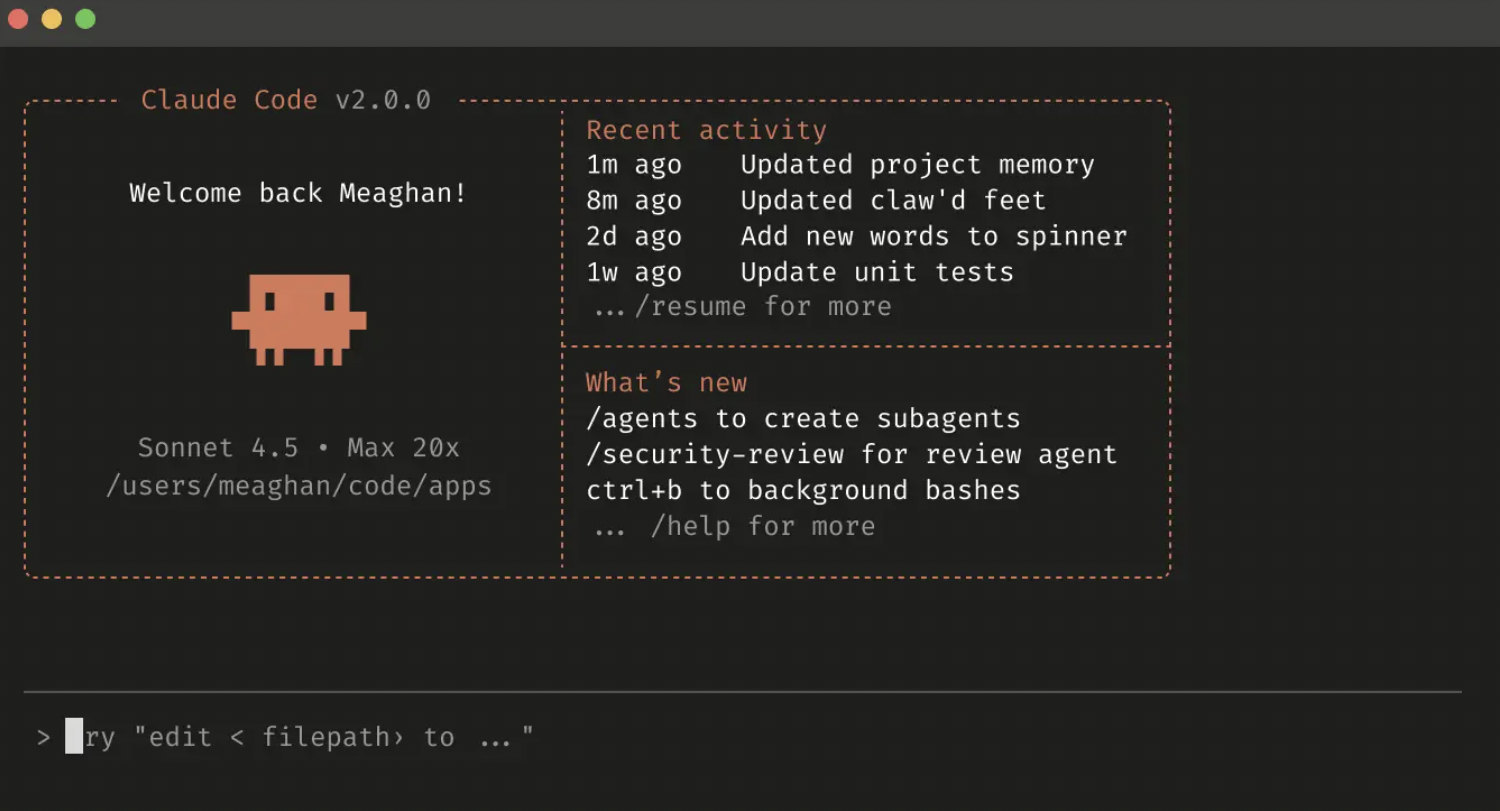 Claude Code
Finally, we get to the state-of-the-art production model in Software Engineering: Agent Skills. We are talking specifically about Claude, since this is the model that introduced this concept and revolutionized the engineering process all at once.
Let’s say you have a repetitive task in your day-to-day work, that you keep constantly executing manually. Or else, you keep giving the same approach to the model to execute for you, however it does not always perform the same way, leading you the review thoroughly every single action it takes. You probably could have a fine prompt to feed the model, and describe how you want the model to execute the tasks until reaching the final goal, but you would need to give the same prompt all the time, which seems unreasonable for productivity.
There comes the skills: have the model in your own machine, and save every skill in a configuration file inside the model directory. Then, give the model a prompt, and it will read the skill, that is describing a step-by-step way to execute a specific task. Skills may be integrated with MCPs and executes several functions, and to learn how to create your own skills, you can read more about it in Claude docs. Now, you can just feed the model with a simple prompt; the model will read the description of the skill and, if it makes sense to what you asked, it will execute the skill by itself.
For my personal use case, I used to have to execute my company’s code locally to test before opening a new PR, and to setup the testing environment there were several tasks I would need to execute everytime. I asked Claude to read the steps and write a skill to setup the testing environment, and now every time I need to test a new feature, I just ask Claude to create the test setup while I am coding, and when I finish I have everything ready.
Another important usage is exploration. For big tech companies, we have a huge codebase and knowing where to find existing solutions for specific problems is important. As an example, I recently asked Claude to search for an endpoint that would retrieve some specific information on a given user, and which permissions I needed to ask to use this endpoint in my service. Now, think that you are doing a insane exploration and you suddenly have a huge chat with Claude. For this use case, I developed a skill that reads the whole Claude chat and writes a short version of it into /tmp, in Markdown format, and I just load this in a new Claude chat, that will not have a full context-window and will have the important context from the previous chat.
Final notes
There are several cases in which you can write skills to, such as opening a new PR, writing documents/PRs descriptions, rebasing a git branch, reviewing code according to company standards. It is an infinite world, but a pretty recent world. We are living in a world of innovation, that keeps changing day-to-day. All these notes shared here just came to my attention by the end of last year, and it gets tiring to keep learning everything. This post was an opportunity for me to formalize more of some knowledges I have been applying in real life.
Although we have not covered a few other topics that have been quite useful in using Claude for a daily-basis work, such as firing minions for small coding assignments, we have given a great basis and I hope this helps someone who is just starting to learn more about these new technologies that are shaping how the industry moves.
This post is a one-series post to talk about how Claude Code is changing the Software Engineering industry, and does not dive deep into technical details of models and systems that are running in the background. We just aim to give a simple introduction to the theme for new users. This post was made based on online blogs from GCP, IBM and Deep Learning classes from the University of São Paulo.